Access Control
Control which devices can connect to each device on your mesh
How Access Control Works
By default, all devices on your mesh can reach each other. Access Control lets you restrict this on a per-device basis.
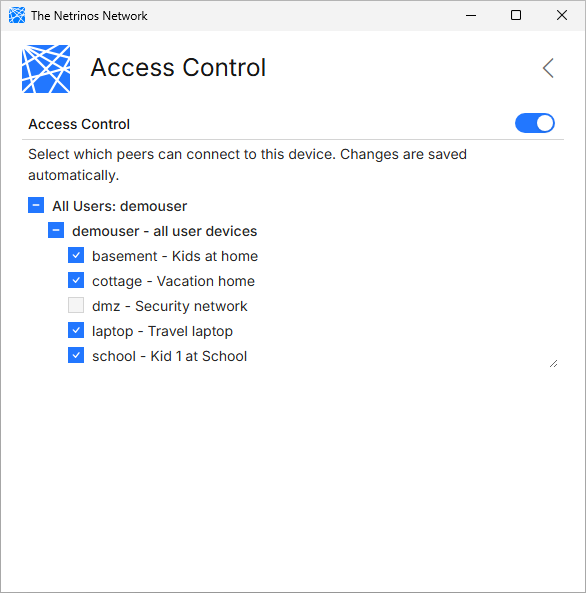
For each device, you choose which other devices (peers) are allowed to connect. Unchecked devices cannot establish connections to the protected device.
Use cases:
- Protect a server from unauthorized mesh devices
- Isolate a device that only needs to reach specific peers
- Restrict contractor or guest device access
Setting Up Access Control
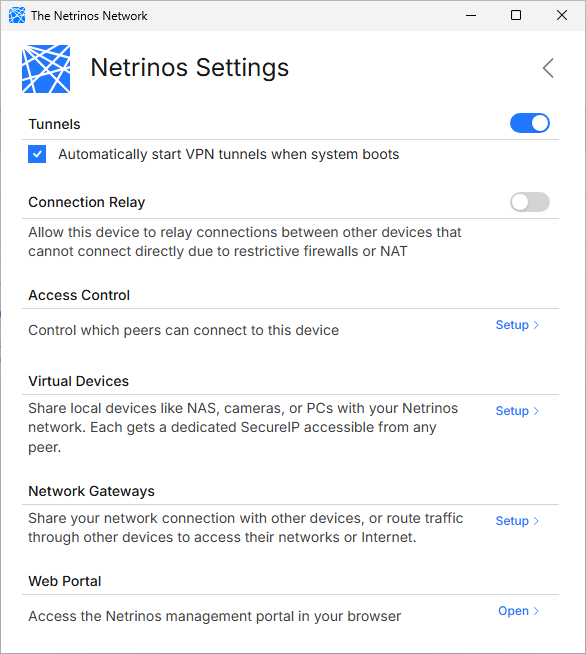
Open Settings and click Setup next to Access Control.
- You'll see a list of all devices on your mesh
- Check the devices that should be allowed to connect to this device
- Uncheck devices that should be blocked
- Changes are saved automatically
Trust VPN Network (Windows)
This toggle controls whether Windows treats the Netrinos network as trusted (Private) or untrusted (Public). With Trust enabled, Windows allows file sharing and other services over your mesh without additional firewall configuration.
Access Control rules apply only to your Netrinos mesh interface. Your existing firewall rules for other network connections remain unchanged.