Plan Upgrade & Downgrade
Manage your Netrinos subscription
Upgrade to Pro
On the free Personal plan and ready to add users or use Pro features? Follow these steps to upgrade.
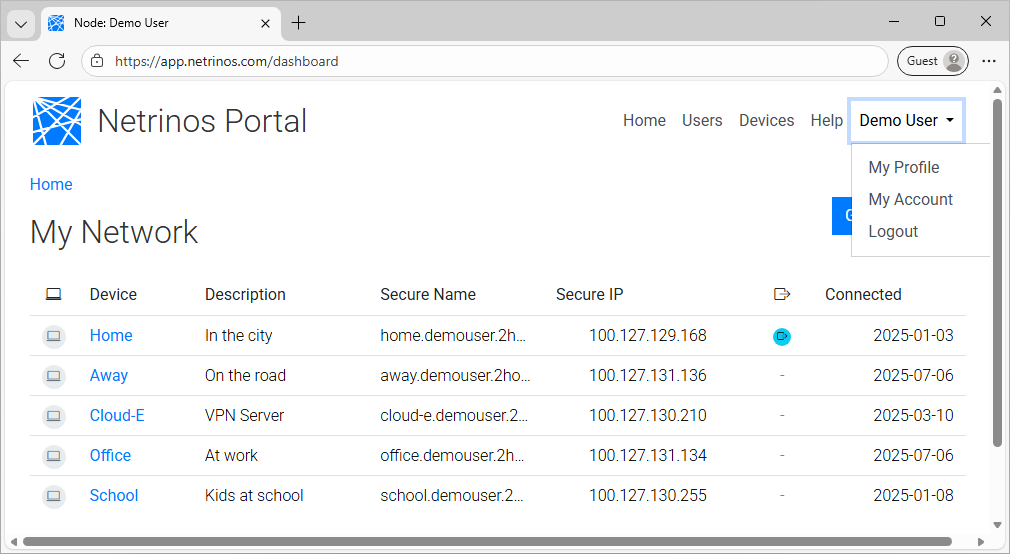
Step 1: Go to My Account
Log in at netrinos.com. Click your name in the top right corner, then click My Account.
Step 2: Change Your Plan
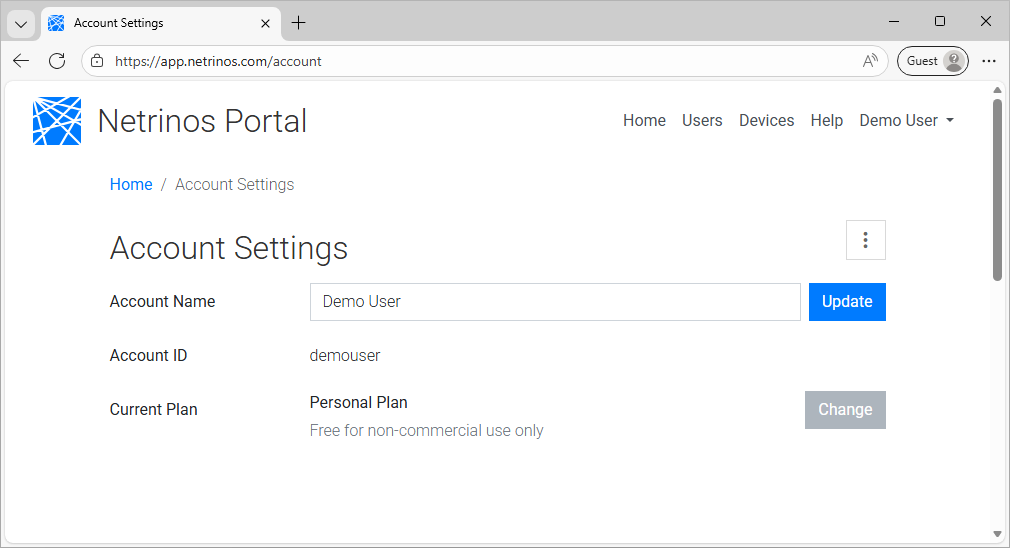
On the Account Settings page, click the Change button next to your Current Plan.
Step 3: Enter Promo Code and Payment
If you have a promo code, enter it in the Promo Code field. Then enter your card details and click Upgrade to Pro.
You won't be charged until the trial ends. Cancel anytime.

Update Payment Method
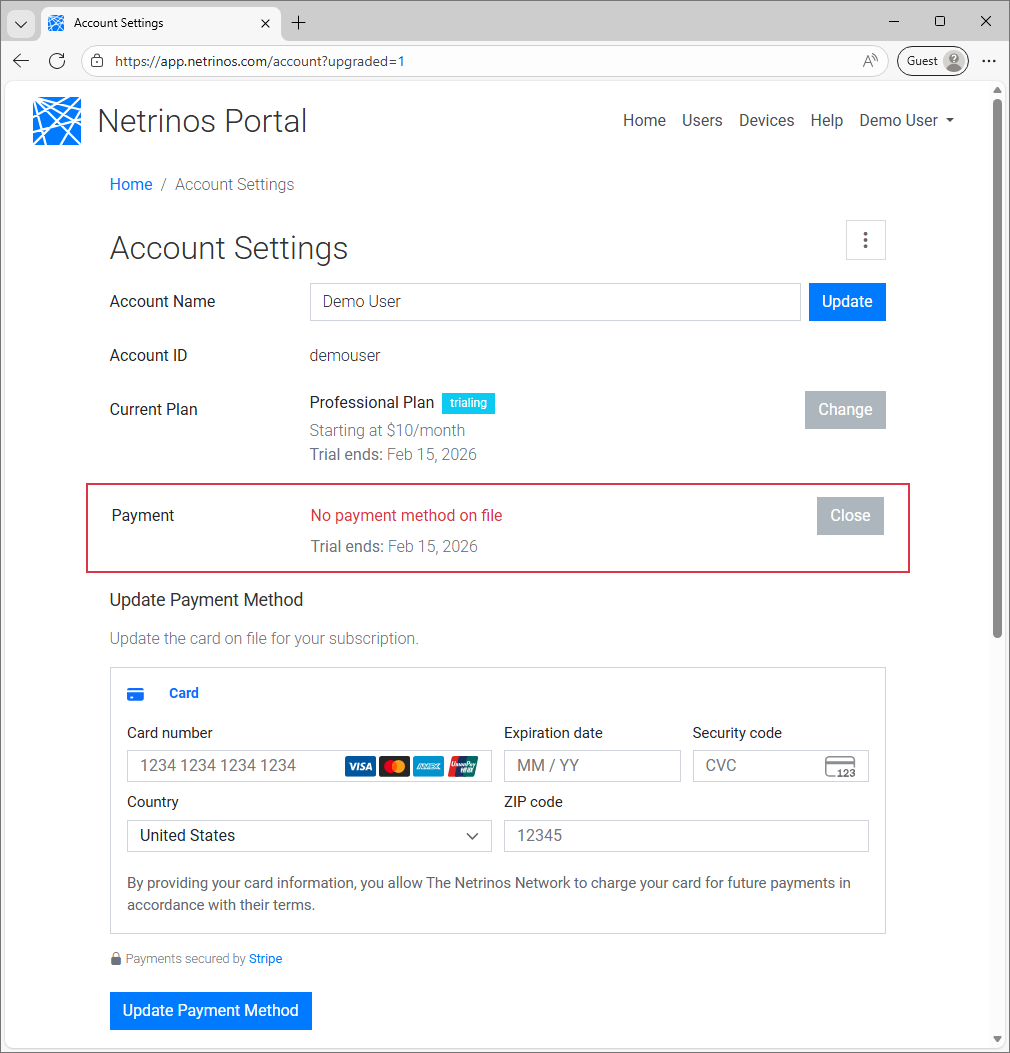
Trial ending soon or need to change your card? Update your payment method to keep your Pro subscription active.
Change Your Card
To update your card on file, go to My Account and click Change next to Payment Information.
Enter your new card details and click Update Payment Method.
Downgrade to Personal
No longer need Pro features? You can downgrade to the free Personal plan at any time.
Start Downgrade
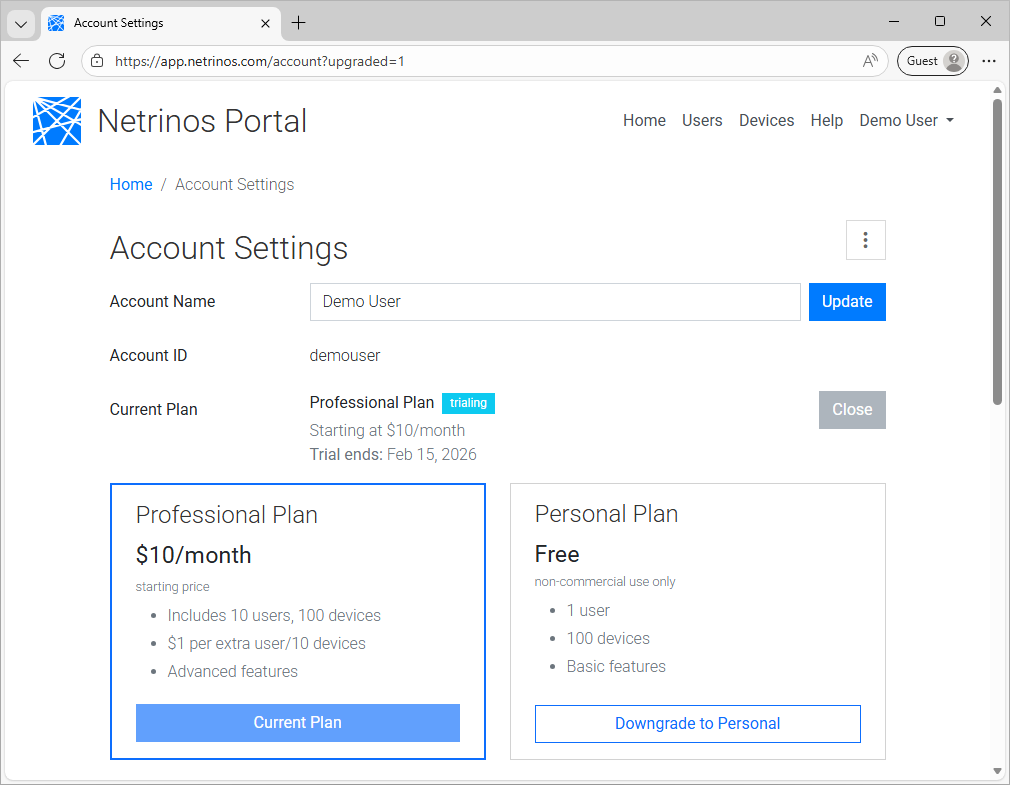
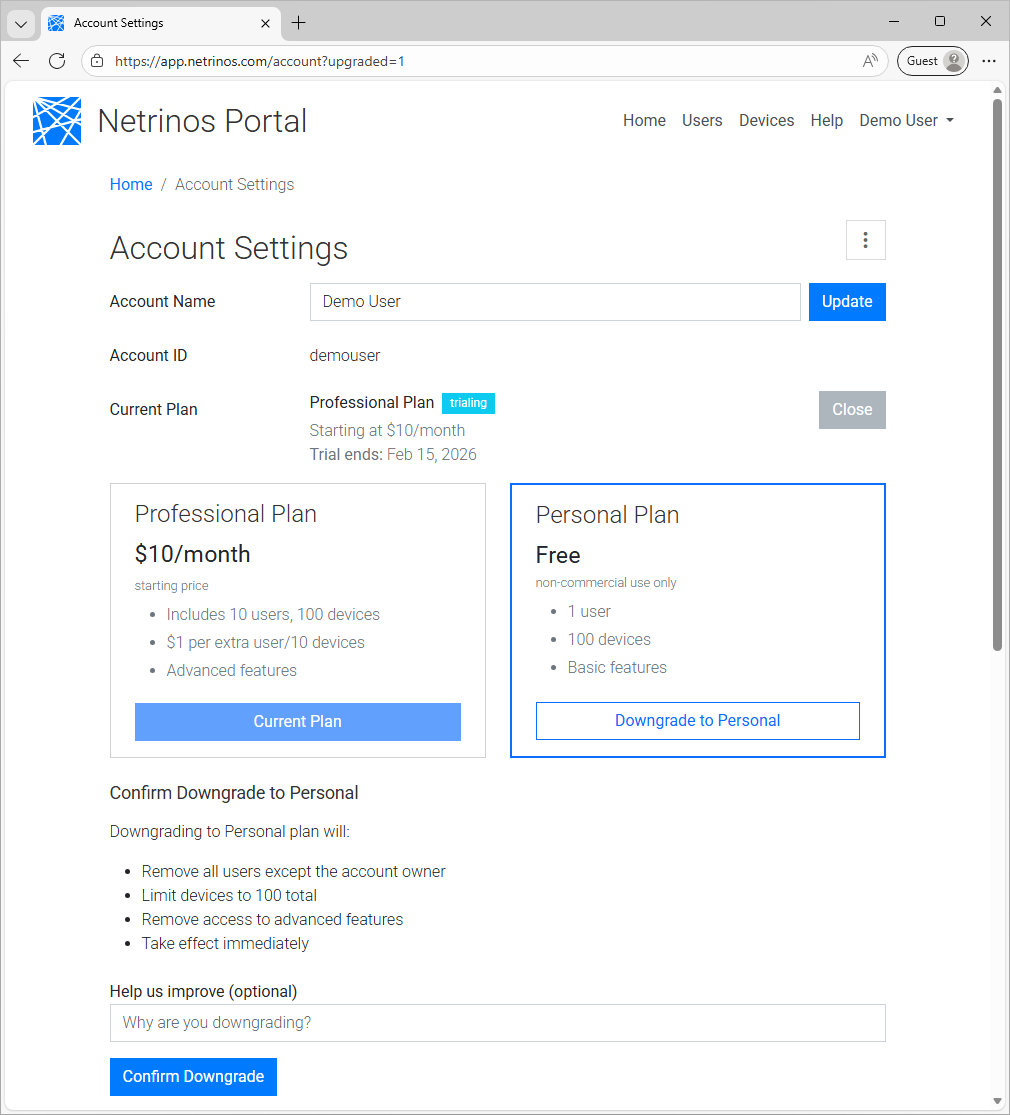
To downgrade from Pro to Personal, go to My Account and click Change next to your Current Plan.
Click Downgrade to Personal.
Confirm Downgrade
Confirm you want to downgrade. Your Pro features will remain active until the end of your current billing period.
You can re-upgrade at any time.
Questions?
Contact us at info@netrinos.com if you need help with your subscription.