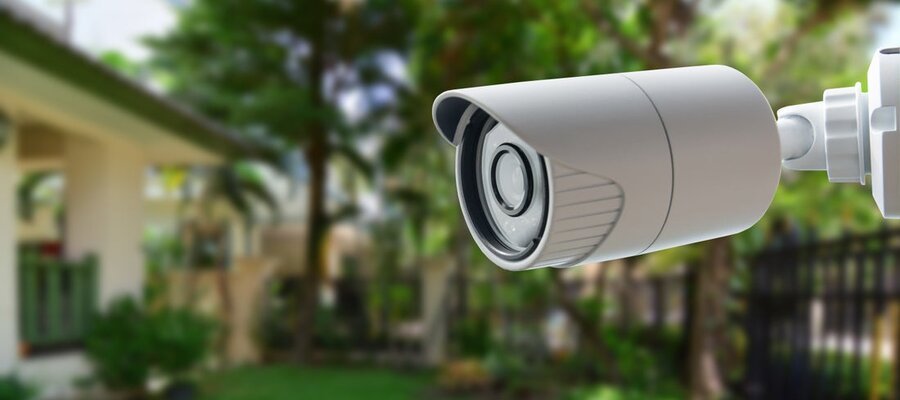
Cameras Don't Belong on the Internet
Your cameras are on the internet. Here's why they shouldn't be.
Your Security is Fragile
Every security camera sold today assumes it will be connected to the internet. Download the app, create a cloud account, scan a QR code. Within minutes your camera is streaming footage through the manufacturer's servers to your phone.
One of our customers is an AV integrator who supports smart home systems across hundreds of residential sites. When they started, every site had port forwarding rules on the ISP modem so they could manage customer devices remotely. When the integrator switched ISPs, they had to visit every customer site and redo the port forwarding. One change, hundreds of truck rolls.
Cameras are especially sensitive because they're not just a security risk, they're a privacy risk. When Verkada was breached in 2021, hackers accessed 150,000 live feeds from hospitals, clinics, and schools. The damage wasn't a breached firewall. It was strangers watching patients in hospital beds and children in classrooms.
Port forwarding, cloud relays, UPnP, manufacturer backends: the industry treats these as necessary tradeoffs for remote access. They're not.
How Cameras Get Exposed
UPnP
Universal Plug and Play lets devices open ports on your router without asking permission. Many cameras enable it by default. Plug one in, and it punches a hole in your firewall and starts accepting connections from the internet.
You never approved this. Your router's status page may still say "no open ports." The camera opened one anyway. This is how cameras end up on Shodan, the search engine that indexes every device with an open port on the public internet.
Port Forwarding
Open a port on your router, map it to the camera's local IP, connect from outside. Simple enough for one camera at one site.
Now do it across dozens of sites. The rules accumulate. Nobody documents them. The ISP resets the modem and they all vanish. A tech drives out, re-enters the port numbers, drives back. Repeat monthly.
Meanwhile, every forwarded port exposes whatever the camera is running directly to the internet. If you've ever looked at a web server access log, you know: every public IP gets hammered by automated scanners all day long. A cheap camera's web interface is not going to hold up.
Cloud Relays
Most consumer cameras route video through the manufacturer's cloud. You can't audit those servers. You're trusting the manufacturer to encrypt properly, store securely, manage access keys correctly, and not get hacked.
Wyze had a bug that let users see other people's feeds, twice, 13,000 accounts across two separate incidents. Ring had employees viewing customer footage. These are not no-name brands.
Some manufacturers now run AI on your footage in the cloud, identifying people, vehicles, events. If their AI can see your video, so can anyone who compromises their infrastructure.
Default Credentials and Firmware
Camera web interfaces ship with default passwords like admin/admin or admin/1234. Many users never change them. Some cameras don't require a password at all for RTSP on port 554: anyone who can reach the camera can pull a live feed.
Camera firmware is a black box. Hardcoded keys, plaintext credentials, debug interfaces left in production code. Security researchers find these constantly. Hikvision and Dahua were banned from US federal installations under the NDAA over security concerns, and those are the big brands. A $40 Chinese camera with buggy firmware and an open port to the internet is exactly the kind of target that automated scanners are built to find.
Search Shodan for "RTSP" or "webcam." Hundreds of thousands of live feeds, indexed, from around the world. Not sophisticated attacks. Just cameras reachable from the internet with no authentication or default passwords that were never changed.
On an isolated LAN with no internet access, none of this matters.
Take Them Off the Internet
Not "secure the connection." Not "use a strong password." Remove the connection entirely.
Configure the camera with a local IP but no default gateway. No DNS server. No route to anything outside the local subnet. The camera talks to devices on its own network and nothing else. Can't phone home. Can't be reached from the internet. Can't be indexed by Shodan.
Firmware vulnerabilities still exist, but they can only be exploited by someone already on the local network.
Remote Access Without Exposure
A camera you can only view while standing next to it isn't much use.
Put a gateway on the same LAN as the cameras. A Raspberry Pi, a spare PC, any Linux box, or just install Netrinos on a machine you already have on site. The gateway connects outbound to an encrypted WireGuard mesh. The cameras stay isolated with no internet access. But the gateway can reach them locally, and you can reach the gateway through the tunnel.
Netrinos Pro turns any device on the mesh into a gateway. Install it on one machine at the site and it projects a unique encrypted address onto every camera and NVR on that LAN. From your laptop or monitoring station, the cameras look like they're on your local network. Same IP, same interface, as if you were sitting next to them. No ports open on the router. No cloud relay.
For larger deployments, Netrinos Edge runs on dedicated hardware and manages hundreds of sites from a central dashboard.
The gateway only makes outbound connections. Nothing calls in. Works behind NAT, CGNAT, cellular, double NAT. The ISP swaps the modem, changes the public IP, resets everything to factory: the gateway reconnects on its own. The cameras don't care. They were never connected to the internet in the first place.
Our AV integrator customer now runs Netrinos Edge gateways at each site. Cameras isolated from the internet, each one addressed through the encrypted mesh. Their techs connect from the field and reach any camera at any site from a laptop. ISP resets a modem, the gateway reconnects, cameras keep recording. No truck rolls.
That deployment has been in production for over two years. The cameras have never been on the internet.
Don't connect cameras to the internet. Use a gateway for remote access. The cameras stay invisible. You keep full access through an encrypted tunnel.
This is how Netrinos gateways work. For multi-site deployments where every network is 192.168.1.x, see how overlay addressing solves the conflicting subnet problem.