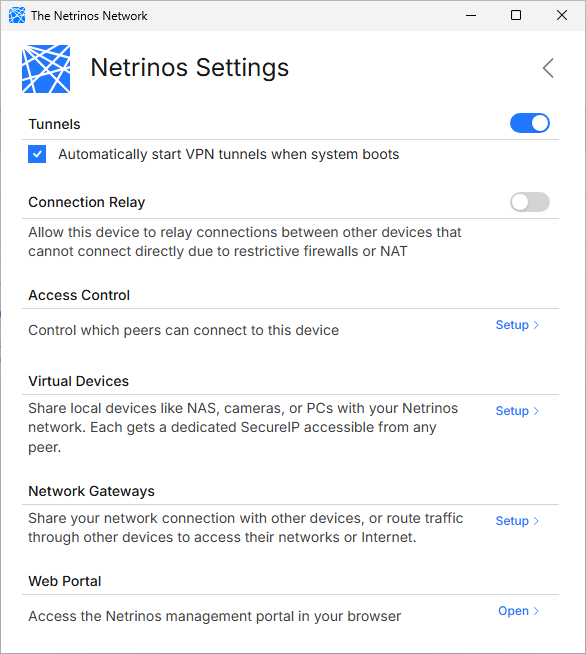
Settings
Configure your Netrinos mesh network
Tunnels
The main on/off switch for your VPN connection. When enabled, your device connects to your mesh and can reach other devices. Disable it to disconnect temporarily without logging out.
Connection Relay
Netrinos devices connect directly to each other, but restrictive firewalls can sometimes block these connections. When direct connections fail, traffic falls back to a relay server.
Access Control
Control which devices on your mesh can connect to this device. Learn more
Virtual Devices
Add LAN devices like NAS units, cameras, and printers to your mesh without installing Netrinos on them. Learn more
Network Gateways
Route web traffic through a device in another location. Learn more
Web Portal
Some features are managed through the web portal at app.netrinos.com, including creating additional users, managing devices remotely, and account settings.